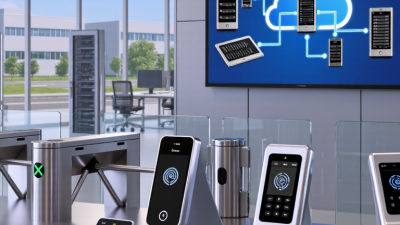
AirAccess Access Control as a Service Platform with Auto-Cell Networking (ACasS)
Enterprise Hosted Platform - MVPAccess™
New! Napco Access 1 & 2-Door Controllers
Please contact us directly or visit our FAQ page or Video Library.
Toll Free 800-645-9330
Phone 631-842-9400
Fax 631-842-9135
Email: sale@safehomeexpert.com
sale@safehomeexpert.com (Latin America)
Sign up for integrator training seminars. 2 days and 3 day online courses are available from our directory indexed by product.
Learn MoreOffer the one access control solution powerful and flexible enough to protect all of your clients. Continental Access provides state-of-the-art access control software and hardware in an easy-to-implement and easy-to-use access control solution that seamlessly integrate with a wide range of facility management products.
Learn MoreChoosing among today’s Access Security Solutions means protecting more than a locked door. A busy office may need mobile credentials at the lobby, badge readers in server rooms, and a clear record of every visitor. The strongest systems connect these controls without making everyday entry frustrating.
The risk is measurable, though the figures need context. Verizon’s 2024 Data Breach Investigations Report found that 68% of breaches involved a non-malicious human element, such as an error or social engineering. That figure does not measure access-control failures alone. It does show why identity checks, staff training, and thoughtful permissions belong in the same security plan. IBM’s 2024 Cost of a Data Breach Report put the global average breach cost at $4.88 million. The number is a warning, not a prediction for every organization.
Security technologist Bruce Schneier has put the principle simply: “Security is a process, not a product.” That matters when comparing cloud-managed access control, smart cards, mobile credentials, biometrics, visitor-management tools, and video integration. Each can help, but none is a magic door. A system should fit the site, protect sensitive areas, and remain usable when a reader fails or a credential is lost. Small details matter: who can revoke a phone-based key, how quickly access logs are reviewed, and whether emergency exits remain clear. The right choice is rarely the most complicated one. It is the one people can operate reliably—and leaders are willing to reassess.
Access security solutions control who can enter a building, network, or sensitive account, and what they can do. Identity and access management checks identities against assigned roles. Multifactor authentication asks for another proof, such as an app prompt or security key. Least-privilege rules limit accounts to necessary systems, while privileged access management adds approval, time limits, and session logs for administrator tasks. Physical systems use badge readers, door sensors, and visitor logs. The layers protect different doors.
The 2024 Cost of a Data Breach Report found that stolen or compromised credentials were the initial attack vector in 16% of studied breaches. It reported a global average breach cost of $4.88 million. These figures do not prove one tool prevents a breach, but they show why access controls deserve careful design. When a worker leaves, prompt account removal matters. Old service accounts are easy to overlook. No control is perfect.
Tips: Require multifactor authentication for remote and high-risk sign-ins. Review access when roles change, and remove dormant accounts regularly. Document emergency access and test recovery procedures. Avoid adding approval steps without checking whether staff can still handle urgent work. Friction can encourage workarounds. That trade-off deserves review.
| Solution | What It Protects | How It Works | Key Considerations |
|---|---|---|---|
| Electronic Card or Fob Access | Building entrances, offices, restricted rooms, and other controlled areas. | A reader checks a card or fob credential against access rules. If the credential is authorized, the system signals an electronic lock to release. | Lost credentials should be disabled promptly. Access permissions and system logs need regular review. |
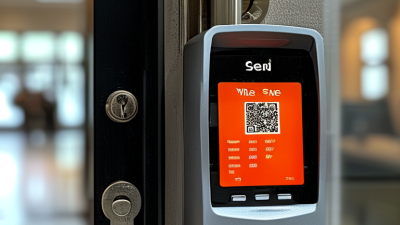
| Mobile Credentials | Doors and facilities that use electronic access control. | A phone presents a digital credential to a compatible reader, commonly using near-field communication or Bluetooth. The access system verifies the credential and permissions. | Requires compatible devices and readers. Organizations should plan for lost phones, credential revocation, and visitors without compatible devices. |
| Biometric Access | High-security areas where access needs to be linked to a person’s physical or behavioral traits. | A sensor captures a trait, such as a fingerprint or facial pattern, and compares it with an enrolled template under configured matching rules. | Accuracy can be affected by sensor conditions and user circumstances. Biometric data requires careful privacy, security, retention, and fallback planning. |
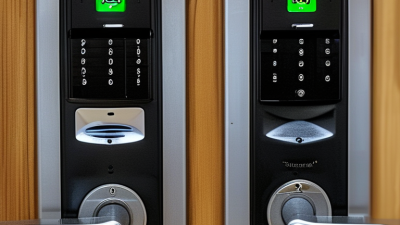
| PIN or Keypad Access | Doors, gates, and shared spaces that need a simple credential-based entry method. | A user enters a code on a keypad. The controller checks the code and, if it is valid for that access point, releases the lock. | Codes can be shared or observed. Use strong codes, change them when needed, and consider individual codes or additional factors for sensitive areas. |
| Multi-Factor Authentication | Systems and restricted areas where a single stolen or shared credential would create excessive risk. | Access requires two or more distinct factors, such as something a person has, knows, or is. The system grants access only after the required checks succeed. | Adding factors can strengthen verification but may add friction. Provide secure recovery procedures and accessible alternatives. |
| Visitor Management | Reception areas and facilities where guest entry, host approval, or temporary access must be tracked. | Visitors are registered, their visit is associated with a host or purpose, and temporary badges or credentials can be issued with defined access and expiry times. | Processes should account for identity checks, escort rules, privacy, emergency procedures, and the timely return or expiry of temporary credentials. |
| Electronic Locks and Door Controllers | Individual doors, gates, and entry points that need controlled locking and unlocking. | A controller receives an authorization decision from a credential reader or access system, then operates an electric strike, magnetic lock, or other compatible locking device. | Hardware must suit the door and local fire and life-safety requirements. Emergency egress and power-failure behavior must be designed appropriately. |
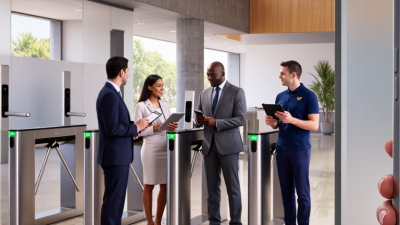
| Turnstiles and Controlled Lanes | Busy entrances where organizations need to manage the flow of people through an access point. | A reader validates a credential and the barrier permits passage for an authorized entry. Some installations also use sensors to detect tailgating or passage in the wrong direction. | Plan for accessibility, emergency egress, queue capacity, and procedures for alarms or equipment failure. |
| Access Control Software and Audit Logs | Access policies across multiple doors, sites, user groups, and credential types. | Administrators assign permissions, manage credentials, and review recorded access events. Systems may be managed on-site or through a hosted service. | Use role-appropriate administrator access, protect system accounts, keep configurations current, and review logs in line with privacy and retention policies. |

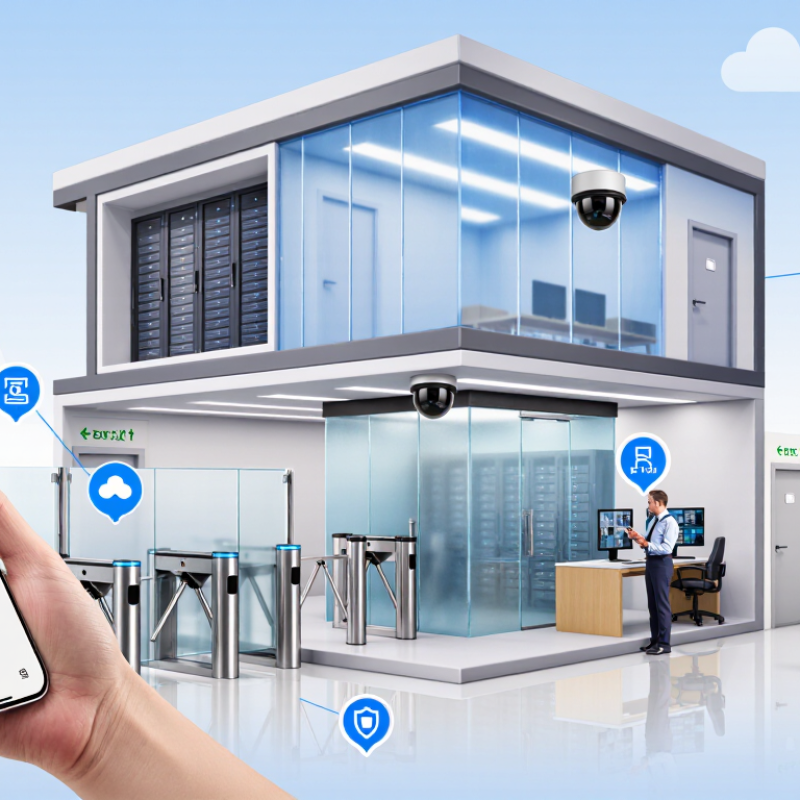
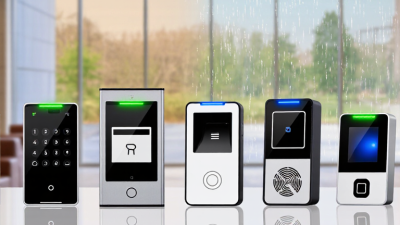
Modern access security combines identity checks, door hardware, and software that records decisions. A card or phone presents a credential; a reader sends it to an access controller. The controller checks permissions before releasing the lock. At a side entrance, that exchange should take seconds, even during a busy shift.
Multi-factor authentication adds another check, such as a PIN or biometric match. It can reduce risks from lost credentials, but it may slow entry or fail in poor conditions. A damp finger, for example, can frustrate a reader. Backup methods matter. So do clear procedures for replacing a lost card.
Encryption helps protect data as it moves between readers and systems. Audit logs show who entered and when, giving security teams useful evidence after an incident. Sensors can report a door held open, while alerts help staff respond quickly. These tools still depend on careful setup: outdated permissions can leave access broader than intended. Cloud management makes remote updates easier, though network outages need a tested fallback. No system is flawless. Regular reviews often reveal small gaps that technology alone cannot fix.
Access security combines several controls, because a password alone cannot reliably establish who is using an account. Verizon’s 2024 Data Breach Investigations Report found that stolen credentials were involved in 24% of initial-access breaches. That makes identity verification a practical starting point. Multi-factor authentication adds a second check, such as an approval prompt or security key. Single sign-on can reduce password sprawl, but it also makes protecting the central account especially important. Small detail, big consequence.
Role-based access control assigns permissions according to job duties. A payroll specialist, for example, may need salary records but not server settings. Least-privilege policies narrow access further, while privileged access management adds tighter controls over administrator accounts. These tools work best when permissions are reviewed as roles change. Reviews are easy to postpone. That is a real weakness.
Physical access controls protect rooms and devices through badges, PINs, or biometric checks. Adaptive access systems can also consider signals such as device health, location, or unusual login behavior before granting entry. Verizon’s report also found a human element in 68% of breaches, underscoring why clear procedures and staff training matter alongside technology. More checks can slow legitimate work, though; teams should test policies against ordinary tasks, not just ideal scenarios.
Selecting an access security solution starts with the doors, people, and routines it must support. Map entry points, staff shifts, visitor flows, and areas needing tighter control. A system that fits a small office may struggle with multiple sites or frequent access changes. Check whether it supports clear permission levels, prompt access removal, and useful event records. Review how it connects with existing identity tools and door hardware. Ask for written details about data storage, support, maintenance, and recovery after an outage. A polished dashboard is not proof of dependable protection.
Tips: Test real tasks, not just a sales demonstration. Try issuing a temporary credential, changing a role, and reviewing an entry record. Keep the test group small. Note how many steps each task takes, and whether errors are easy to spot.
Before choosing, compare solutions against the same requirements and request a hands-on trial. Check performance at busy entry times, including whether doors respond consistently and alerts arrive promptly. Ask who can change permissions, how changes are recorded, and what happens if the network fails. Confirm that staff can learn the daily workflow without relying on one specialist. Do not overvalue features that sound impressive but solve no defined problem. Some uncertainty remains: trial conditions may not match a hectic Monday morning. Record that limitation, then decide which trade-offs your organization can accept.
How to Evaluate and Select an Access Security Solution
How to use this chart: These suggested weights are a planning framework, not market-survey results. Adjust them to reflect your organization’s risks, compliance needs, and existing systems. Compare solutions against each criterion using evidence from demos and security documentation.
What Are the Top Access Security Solutions?
Deployment, Integration, and Ongoing Management of Access Security
Effective access security depends on more than choosing a tool. It starts with mapping who needs access, to which systems, and for how long. During deployment, test policies with a small group before expanding them. A contractor’s temporary account or a staff member’s new role can reveal gaps that look invisible on a diagram. The 2024 Data Breach Investigations Report identifies stolen credentials as a leading initial access route, accounting for 24% of cases. That makes strong authentication and timely account removal practical priorities, not optional extras.
Integration is where plans meet messy reality. Connect access controls to identity records, workforce changes, and key business applications, then check that updates flow correctly. Keep a fallback process for outages, but review it often; exceptions can quietly become permanent. Ongoing management should include regular access reviews, sign-in monitoring, and clear ownership for each system. The 2024 Cost of a Data Breach Report puts the global average breach cost at $4.88 million. That figure is a reminder to treat access reviews as operational work, not a once-a-year checkbox. No setup stays perfect.
Tips: Test a new policy with real users. Remove access when roles change. Review unusual sign-ins, and document exceptions with an owner and expiry date. If a control creates repeated workarounds, revisit the design.