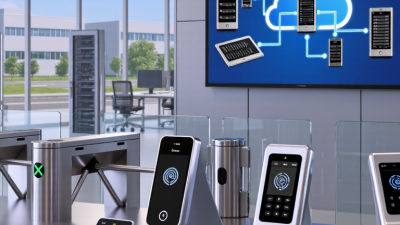
AirAccess Access Control as a Service Platform with Auto-Cell Networking (ACasS)
Enterprise Hosted Platform - MVPAccess™
New! Napco Access 1 & 2-Door Controllers
Please contact us directly or visit our FAQ page or Video Library.
Toll Free 800-645-9330
Phone 631-842-9400
Fax 631-842-9135
Email: sale@safehomeexpert.com
sale@safehomeexpert.com (Latin America)
Sign up for integrator training seminars. 2 days and 3 day online courses are available from our directory indexed by product.
Learn MoreOffer the one access control solution powerful and flexible enough to protect all of your clients. Continental Access provides state-of-the-art access control software and hardware in an easy-to-implement and easy-to-use access control solution that seamlessly integrate with a wide range of facility management products.
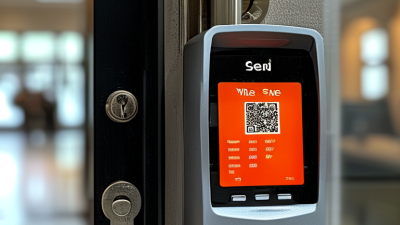
Learn MoreA wireless lock can simplify access at a side entrance, a shared office, or a storage room where running new cable would be disruptive. But convenience alone is not a buying criterion. Wireless Locks Access Control systems vary in credential support, network design, battery life, audit records, and integration options. The right choice depends on the doors, users, and daily routines the system must serve.
Market growth offers useful context, not a product recommendation. Grand View Research estimated the global access control market at USD 10.31 billion in 2023 and forecast an 8.1% compound annual growth rate from 2024 to 2030. That broad category includes more than wireless locks, so the figure should not be read as proof that wireless is right for every site. Look closely at the details: how often a busy door opens, how quickly staff can replace batteries, and what happens if a network connection drops. Small details matter.
This guide explains how to compare wireless access control locks by security features, installation needs, credentials, and ongoing costs. It also considers practical questions buyers sometimes miss, such as door compatibility and administrative workload. No system removes every risk. A careful choice starts with an honest assessment of where the lock will be used and who will maintain it.
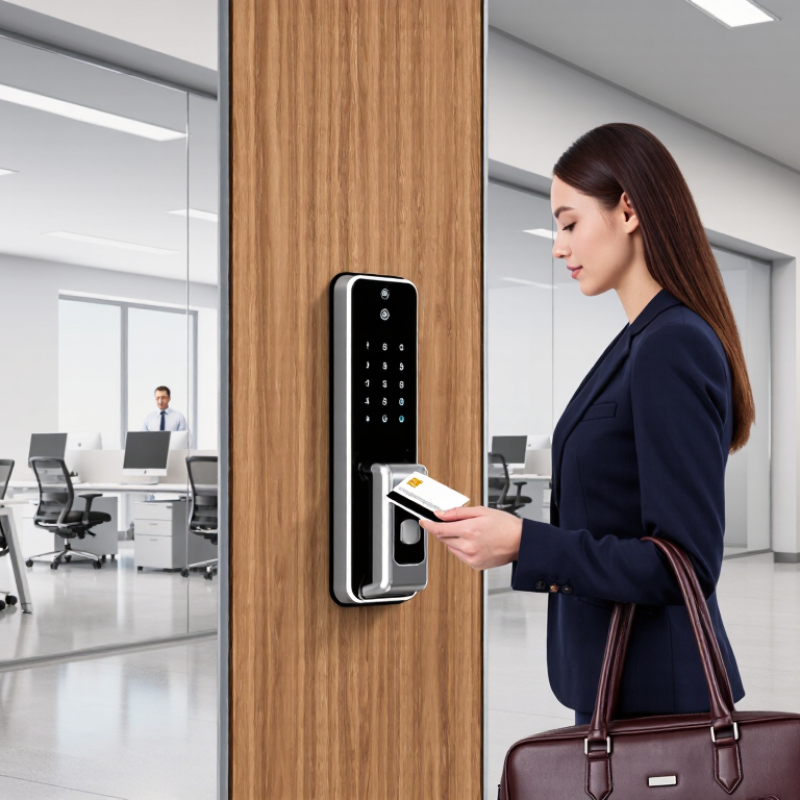
A wireless access control lock combines a locking mechanism, credential reader, radio, and management system. A user presents a card, phone, or PIN; the lock checks the credential and releases the door if access is authorized. Depending on its design, that decision happens at the door or through a connected controller. Communication may use Bluetooth, Wi-Fi, or a dedicated mesh network. The distinction matters: a cloud-connected lock and an offline-capable lock behave differently during a network outage. Some models store permissions locally, then sync access events later. Check this before choosing.
Power and security deserve equal attention. Battery-powered locks need a realistic replacement schedule, especially on busy doors. Ask how the system encrypts wireless communication, protects stored credentials, and handles lost phones or revoked cards. The Verizon 2024 Data Breach Investigations Report found that 68% of breaches involved a non-malicious human element. That figure is not specific to door systems, but it reinforces why clear credential rules and timely access removal matter. Test the actual door, too: thick walls, metal frames, and distance can weaken radio signals. Wireless is not automatically easier. A missed signal can become an everyday frustration, and coverage assumptions sometimes need revisiting.
How to Choose Wireless Access Control Locks
Identify the door, its users, and the level of protection required before comparing lock features. A glass entry door, a metal service door, and an interior office door have different hardware and installation needs. Check the door’s thickness, frame, existing lock, and wireless signal strength at the actual mounting point. A weak signal behind a concrete wall can make remote updates unreliable. Details matter.
List who needs access, when they need it, and how often permissions change. Staff, visitors, and maintenance teams may require different schedules and access zones. Choose a system that supports prompt credential removal when someone leaves. The 2024 Data Breach Investigations Report found that 68% of breaches involved a non-malicious human element. This is a broad cybersecurity finding, not a measure of lock failures, but it highlights why clear access procedures matter. Also confirm battery alerts, offline behavior, audit records, and compatibility with the door’s safe egress requirements. A tidy user list can still become outdated.
Tips: Test the lock on the intended door before wider installation. Check signal, latching, and battery alerts during a normal workday. Ask an experienced installer to assess fit and egress; assumptions here can be costly.
| Door and Location | Typical Users | Suitable Wireless Lock Approach | Credential Options | Key Security Requirements | Checks Before Selection |
|---|---|---|---|---|---|
| Main office entrance | Employees, visitors, reception staff | Networked wireless lock with centralized access management; use a compatible door closer where required. | Encrypted smart credential, mobile credential, or PIN where appropriate | Individual user credentials, prompt revocation for lost credentials, event logging, and defined visitor procedures | Confirm lock and credential compatibility, door handing, communication coverage, and the required access schedule. |
| Interior office or staff room | Small, regular staff group | Offline or gateway-connected wireless lock, depending on how quickly permissions must change. | Card, fob, mobile credential, or keypad code | Role-based permissions and a reliable process for removing access when staff change roles or leave | Check privacy needs, expected entry frequency, battery access, and whether audit records are necessary. |
| IT room or records storage | Small, authorized group; occasional contractors | Wireless lock integrated with a managed access system; consider an additional approved control for high-impact assets. | Individually assigned encrypted credentials; avoid shared codes where individual accountability is needed. | Least-privilege access, prompt access revocation, audit trails, and a documented emergency-entry procedure | Verify the required security level, system integration, backup power or mechanical override policy, and applicable fire rules. |
| Shared meeting room | Employees and scheduled guests | Wireless lock with time-based permissions or integration with a room-booking workflow. | Temporary mobile credential, staff card, or time-limited PIN | Limit access to the booking period and prevent credentials from remaining active unnecessarily. | Check connectivity, scheduling integration, user experience, and the process for after-hours access. |
| Exterior side or service door | Facilities staff, deliveries, approved employees | Wireless lock rated for the door’s exposure and operating conditions; use controlled schedules for service access. | Encrypted card or fob; temporary credentials for approved service visits | Restrict access by user and time, monitor access events where supported, and secure credentials against loss or misuse. | Check weather exposure, door material, network reach, battery performance, and local egress requirements. |
| Fire-rated door on an egress route | Building occupants and authorized staff | Only a lock and installation approved for the specific fire-door assembly and egress application. | Credential method selected without obstructing required emergency egress | Free and safe egress must be maintained in accordance with applicable building and fire codes. | Obtain approval from a qualified door or life-safety professional; verify local code, listing, hardware, and fail-safe or fail-secure behavior. |

Selection note: Confirm the door’s material, thickness, handing, latch or lock preparation, and power requirements before purchase. Wireless range, battery life, offline behavior, and audit-log capacity vary by system and installation.
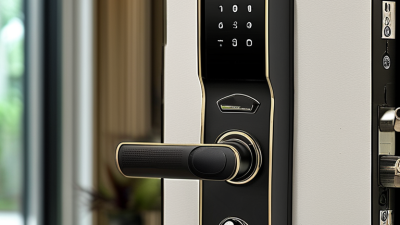
Keypad locks suit shared rooms where staff can remember a code, but codes may spread unless they change regularly. Card or fob readers make access simple at a busy entrance; lost credentials can usually be removed without replacing the lock. Mobile credentials reduce the number of items people carry, though some users may not want to rely on a phone.
Biometric options can be convenient, but consider enrollment, privacy, and what happens when a reader fails. Small details matter. Check how the lock handles cold weather, frequent use, and low batteries.
Connectivity determines how much control you have from a distance. Bluetooth can work well for nearby management, while Wi-Fi or a gateway may support remote updates and event records. Thick concrete walls, metal doors, and long corridors can weaken signals, so test the actual location before choosing.
Ask whether the lock keeps approved credentials working during an internet outage. It should also provide a clear warning before battery power runs out. For a small office, a simple setup may be easier to maintain; for several entrances, centralized monitoring can save time.
I would not choose on features alone. A polished dashboard is less helpful if staff cannot quickly issue, revoke, or troubleshoot access.
Wireless locks still need dependable power. Battery models suit doors without nearby wiring, but busy entrances drain cells faster. Check expected cycles, battery type, and low-power alerts before choosing. Hardwired options reduce battery changes, yet installation may require cable routes and scheduled downtime. Small details matter. A power plan should also state what happens during outages and how staff can enter safely.
Installation starts with the door, not the catalog. Measure thickness, backset, handing, and existing bore size; confirm the lock fits the frame and latch. A retrofit can look simple until a narrow stile or misaligned strike appears. Test the wireless signal with the door closed, especially near metal frames, elevators, or concrete walls. The reader should unlock smoothly without pushing or lifting the handle. That sounds obvious, but it is often missed.
Compatibility deserves the same attention as hardware. Confirm the lock works with the access platform, credential format, and communication method already in use. Ask whether it stores permissions offline and syncs event records after a network interruption. Check how software updates, user changes, and battery warnings are handled. A system that works in a demo may behave differently across several floors. I would leave room for a small pilot; it can expose awkward routines before a full rollout. That may feel slow, but it is cheaper than replacing mismatched hardware.
Wireless access control is only as dependable as its security settings and daily administration. Check how credentials are encrypted, how administrators authenticate, and whether lost credentials can be revoked promptly. Ask what happens during a network outage: Does the lock retain approved permissions, and are activity records stored for later review? Request documentation, not just a sales claim. Verizon’s 2024 Data Breach Investigations Report found that human involvement featured in 68% of breaches, making clear user permissions and account controls especially important.
Tips: Test a sample lock before buying. Revoke a test credential, inspect the audit log, and try the documented offline procedure. Small details matter.
Management tools should make routine tasks practical, not merely look impressive in a demonstration. Check whether staff can assign time-limited access, separate administrator roles, and review entry events from one interface. Ask how quickly the system receives security updates and whether updates interrupt access. Support deserves the same scrutiny: confirm response hours, replacement procedures, warranty terms, and access to clear troubleshooting guidance. No checklist catches every edge case; that is worth admitting. A vendor should explain limitations plainly, including battery-life factors and what staff must do when a device stops responding.
Verify security features, management tools, and support before selecting a system.
How to read this chart: The bars count suggested checklist items in each area, not product ratings or market statistics. Ask vendors to demonstrate each item and document their answers.