AirAccess Access Control as a Service Platform with Auto-Cell Networking (ACasS)
Enterprise Hosted Platform - MVPAccess™
New! Napco Access 1 & 2-Door Controllers
Please contact us directly or visit our FAQ page or Video Library.
Toll Free 800-645-9330
Phone 631-842-9400
Fax 631-842-9135
Email: sale@safehomeexpert.com
sale@safehomeexpert.com (Latin America)
Sign up for integrator training seminars. 2 days and 3 day online courses are available from our directory indexed by product.
Learn MoreOffer the one access control solution powerful and flexible enough to protect all of your clients. Continental Access provides state-of-the-art access control software and hardware in an easy-to-implement and easy-to-use access control solution that seamlessly integrate with a wide range of facility management products.
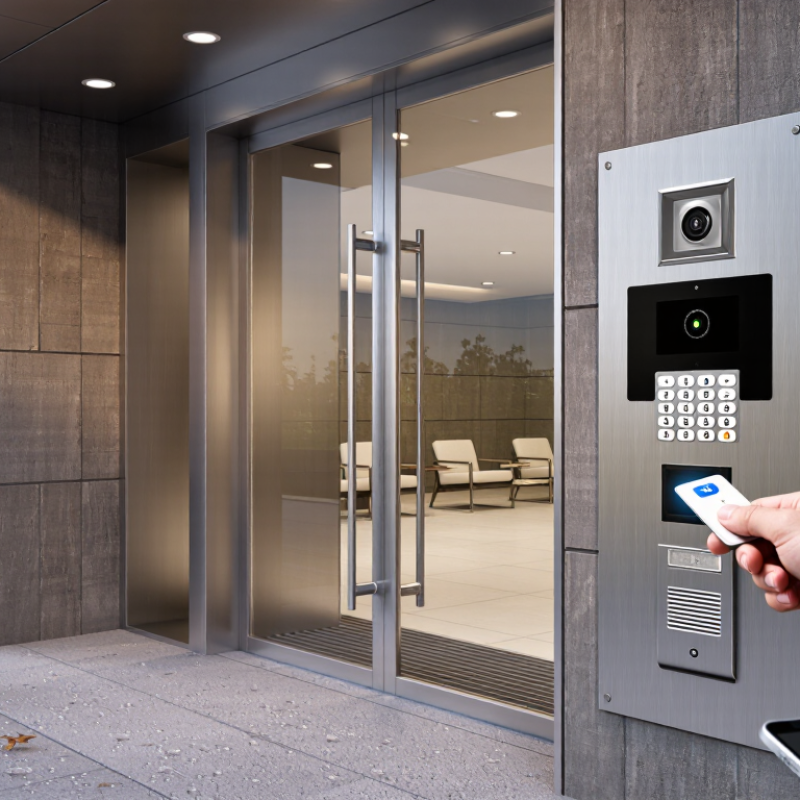
Learn MoreChoosing the right Door Entry Systems begins with the entrance itself. A shared apartment lobby has different needs from a small office or a home with a side gate. Think about who needs access, when they arrive, and how visitors should be identified. A keypad may suit a small team, while key cards or mobile credentials can be easier to manage when access changes often. Video entry can help residents see a caller before unlocking the door. Small details matter.
Look closely at the daily conditions. Will the outdoor panel face rain, strong sunlight, or heavy use? Can someone hear the indoor chime from a back room? Ask how the system behaves during an internet or power interruption, and what backup options are available. Check installation needs, ongoing support, and the process for replacing lost credentials. Privacy deserves attention, too: understand what recordings or access logs are collected, who can view them, and how long they are kept.
A long feature list can look impressive, but it does not prove a system will work well at your entrance. Compare practical needs, not just specifications. If possible, test the controls and call quality before deciding. Test before deciding. Seek clear answers from installers or suppliers, and confirm that the proposed setup suits the building and its users. There is no universal winner. Even a carefully chosen system may need adjustments after people use it every day. That is worth planning for.
Door entry systems identify visitors in different ways and send a signal to unlock a door. A keypad checks a code; it is simple to use, but shared codes can spread. Change them when staff or tenants move on.
Small detail, big difference.
An intercom lets a resident speak with a visitor before releasing the lock. Video models add a live view, useful when the entrance is around a corner or poorly lit.
Card and fob readers check a credential against stored permissions, then activate an electric lock. Lost credentials can usually be disabled without changing every user’s access.
Some systems connect to a local network, allowing an administrator to manage permissions remotely. That convenience depends on a reliable connection and careful account security.
Biometric readers use features such as a fingerprint or face pattern, but they require thought about privacy, storage, and accessibility. No option is perfect.
A busy apartment entrance may need hands-free visitor calls, while a quiet office may work well with fobs. Consider who needs access, how often visitors arrive, and what happens during a power or network outage.
A system that looks impressive can still frustrate people if the buttons are hard to find or the audio is unclear.
Test the actual entry process before choosing.
Before comparing door entry systems, map how people approach and use your property. Note every entrance, including side doors, shared lobbies, and service entrances. Watch who needs access at different times: residents, staff, visitors, and delivery workers. A small office may need different controls from a busy apartment building. Count users, too. A system that works for ten regular users may become awkward when access changes every week.
Security needs depend on the actual risks, not just the number of doors. Consider whether entrances are visible from occupied areas, how well lighting works after dark, and whether doors close reliably. Think about what happens during a power or network outage. Some systems may offer remote management, but that feature is useful only if someone can manage permissions and respond to problems. I have seen planning focus too much on entry hardware and too little on daily routines. That is easy to miss.
Tips: Walk the property at busy and quiet times. List who needs access, when, and through which door. Ask how lost credentials are disabled and how visitors are handled. Keep the list practical; perfect predictions are unlikely.
| System type | How access is granted | Access control and security considerations | Installation and ongoing needs | Often suitable for |
|---|---|---|---|---|
| Mechanical key lock | A physical key operates the lock. | Simple and independent of power or networks. Lost keys may need to be recovered or the lock rekeyed; access is not usually recorded. | Generally straightforward to install. Plan for key cutting, spare-key control, and rekeying when keys are lost or access changes. | Homes and smaller properties with few users and limited need for access logs. |
| Keypad / PIN | A user enters a code on a keypad. | Codes can be changed without issuing physical keys. Shared or reused codes can be passed on or observed; individual codes and lockout settings can improve control. | Electronic models need a suitable power source and a plan for battery replacement or power failure. Check emergency egress requirements. | Small offices, shared entrances, and properties where key distribution is inconvenient. |
| Proximity card or fob | A card or fob is presented to a reader. | Credentials can often be disabled if lost, and permissions may be assigned by user. Security depends on the credential technology and system configuration. | Requires readers, electronic locking hardware, and a way to manage credentials. Consider backup power and procedures for lost cards or fobs. | Apartment buildings, workplaces, and sites with regular staff or resident turnover. |
| Mobile credential | An authorized smartphone communicates with a compatible reader or lock. | Credentials can be issued or revoked digitally. Access may depend on phone availability, battery charge, compatible hardware, and the chosen system’s security settings. | Requires compatible locks or readers and a process for users without a suitable phone. Check offline operation and backup-entry options. | Managed workplaces and residential properties seeking digital credential administration. |
| Audio or video intercom | A resident or staff member communicates with a visitor and may remotely release the door. | Supports visitor screening; video can help identify a caller but does not guarantee identity. Camera placement and recording should respect applicable privacy rules. | Needs an entry panel and indoor station, app, or compatible phone. Check network or wiring needs, power backup, and how doors can be opened during outages. | Multi-unit residential buildings, reception areas, and entrances with frequent visitors or deliveries. |
| Biometric reader | A reader checks a physical characteristic, such as a fingerprint or facial image, against an enrolled profile. | Can reduce reliance on shared codes or carried credentials. Accuracy, spoof resistance, privacy, and the consequences of biometric-data exposure require careful evaluation. | Requires compatible hardware and enrollment procedures. Provide an alternative access method and check data protection, retention, and accessibility requirements. | Restricted areas where stronger identity checks are justified and legal and privacy obligations can be met. |

| Before choosing: assess the number and type of users, visitor traffic, required access records, door and frame condition, emergency egress, accessibility, power and network reliability, privacy obligations, maintenance capacity, and the consequences of a system outage. | ||||
How to Choose the Best Door Entry Systems?
Comparing Entry Methods, Features, and Compatibility
A keypad avoids carrying keys, and temporary codes can simplify visitor access. Yet buttons may wear, and shared codes are easy to pass along. Convenient, but not foolproof. Card or fob readers offer quick entry, especially for staff or residents who come and go often. Consider how lost credentials are cancelled and replaced. Mobile access can reduce physical tokens, but it depends on reliable phones, connectivity, and user comfort.
Match features to the door and daily routine. An intercom lets occupants screen visitors before releasing the lock; clear audio matters in a noisy lobby. Check whether the system supports the existing lock, door thickness, wiring, and available power. Some installations need new cables or professional adjustments. Compatibility is not just a software question. A feature list can look impressive, then meet an awkward frame or weak Wi-Fi.
Think about backup access before choosing. What happens during a power cut, network outage, or dead phone battery? A mechanical override may help, but it also needs secure key management. Test the interface at the actual entrance, in daylight and after dark. Small labels can be hard to read. I would not assume every visitor finds an app intuitive; that assumption is often wrong. Compare installation needs, ongoing credential management, and accessibility alongside the entry method itself.
Compare common entry methods across everyday convenience, ease of retrofitting, and credential management. Ratings are qualitative planning estimates from 1 (low) to 5 (high), not measured performance scores. Actual compatibility depends on the door hardware, wiring, and building requirements.
Installation affects both the project budget and daily use. Check the door material, wiring routes, and power supply before choosing equipment. A system that needs new cables may require more labor than a wireless option. Ask an installer to inspect the entrance and explain any needed drilling or network changes. Small details matter, like where visitors stand while using the keypad.
Accessibility deserves a practical test. Can someone using a wheelchair reach the controls? Are buttons easy to distinguish in dim light? Consider clear audio, adjustable volume, and a screen with readable text. If residents have different needs, test the system with them before committing. A feature list can look impressive, but real use may reveal awkward steps.
Ongoing costs include maintenance, replacement parts, connectivity, and any recurring service fees. Confirm what happens if the power or internet goes down, and whether residents can still enter safely. Costs vary by building and setup, so compare written estimates rather than relying on a quick quote. One easy mistake is focusing only on the purchase price.
Tips: Request an itemized quote. Check warranty terms and backup access. Try the controls at the actual entrance, not just in a showroom. Little oversights happen.
Choosing a door entry system starts with the people who use it and the way they move through the building. Count daily visitors, staff, deliveries, and peak-time queues. A small clinic may need a clear visitor process, while a shared office may need access that changes when staff roles change. Map the main entrance, side doors, and any areas with different access needs. Details matter.
Consider how users will enter on an ordinary day. Keypads can be simple, but codes may be shared or forgotten. Cards are quick to use, though users can misplace them. Mobile credentials may suit a connected workplace, but not everyone has a charged phone or reliable signal. Include accessible controls, readable instructions, and a clear way to contact staff when entry fails. Test it in person.
The building itself narrows the options. Check door type, wiring, weather exposure, visitor volume, and whether the system must work during network or power interruptions. Ask how access permissions are updated, how entry events are protected, and who handles routine maintenance. In one walkthrough, try the system with a visitor, a delivery person, and someone carrying bags; small snags often appear then. I would not choose from a feature list alone. Compare the system’s documented capabilities with the building’s needs, and have a qualified installer assess compatibility and applicable safety requirements.