How to Choose Wireless Sensors for Your Business in 2026?
In 2026, choosing a Wireless Sensor is less about chasing the newest feature and more about matching dependable data to a real business need. A cold-storage manager may need accurate temperature readings near doors, where warm air enters repeatedly. A facilities team may care more about vibration, humidity, or equipment downtime. Small details matter. Sensor range, battery life, measurement accuracy, and the surrounding materials can all affect performance. A concrete wall, metal shelving, or a crowded wireless network may weaken signals. A product sheet alone cannot reveal every site-specific problem.
Start with the decision the data should support, then compare sensors against that requirement. Check operating conditions, communication protocols, integration with existing systems, maintenance needs, and the vendor’s published accuracy and testing information. Ask how readings are calibrated, how failures are reported, and what happens when connectivity drops. Those answers are useful. A low-cost unit may become expensive if staff must replace batteries often or investigate unreliable readings. Yet premium specifications are not automatically worthwhile; extra precision may add little value where broad trend monitoring is enough.
A careful pilot can expose gaps before a wider rollout. Test representative locations, including difficult corners and busy operating areas, and compare sensor readings with a trusted reference. Record signal strength, missed reports, and maintenance time—not just purchase price. Real sites are messy. Results may challenge the original plan, and that is useful evidence, not a failure. The right Wireless Sensor is the one that provides trustworthy, actionable measurements within your operating limits, with support and documentation your team can verify.
Identify the Business Needs and Conditions the Sensors Must Address
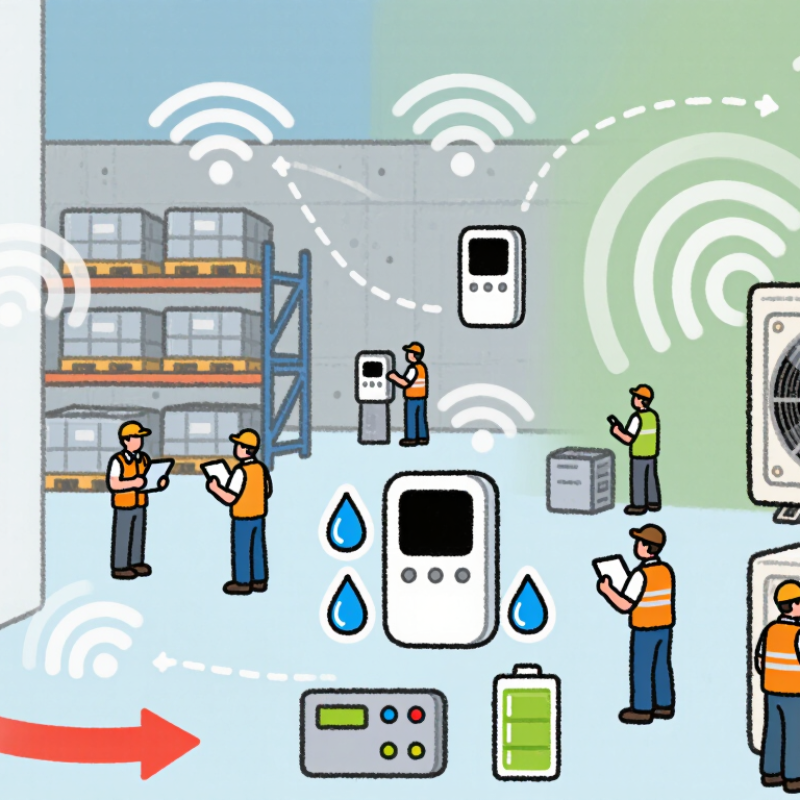
Before comparing wireless sensors, define the business problem they must solve. A cold-storage team may need alerts when a room warms above a set point. A maintenance crew may need vibration readings before a machine fails. Start with the task. Specify what must be measured, how often readings are needed, and who will act on an alert. A sensor is useful only when its data supports a clear decision.
Tips: Walk the actual site before choosing a device. Note metal walls, equipment noise, temperature swings, moisture, and the distance to a receiver. These conditions can weaken signals or shorten battery life. Ask how the system behaves when connectivity drops. A missed reading may matter more than a delayed dashboard update.
Match the sensor’s range, accuracy, and sampling interval to the job, not to the longest specification sheet. Check whether staff can replace batteries and verify readings without special tools. Confirm that data can reach the systems your team already uses. A small pilot across one busy area can reveal dead zones and awkward mounting points. It will not predict every seasonal change, but it is better than guessing. The first plan may need revision, and that is normal.
Compare Wireless Technologies, Coverage, and Power Requirements
Wireless sensor selection starts with the signal path, not the product brochure. Wi-Fi suits cameras and frequent data uploads, but its higher power demand can shorten battery life. Bluetooth Low Energy works well across rooms for brief readings, while low-power wide-area networks suit sparse telemetry over larger sites. Walls, metal shelving, and moving equipment can weaken coverage. Test the actual route.
Scale is rising: IoT Analytics’ State of IoT—Summer 2024 estimated 16.6 billion connected IoT devices worldwide in 2023, with 18.8 billion forecast for 2024. The Bluetooth SIG’s 2024 Market Update projected 7.5 billion annual Bluetooth device shipments by 2028.
IoT Analytics’ State of IoT—Summer 2024 estimated 16.6 billion connected IoT devices worldwide in 2023, with 18.8 billion forecast for 2024.
The Bluetooth SIG’s 2024 Market Update projected 7.5 billion annual Bluetooth device shipments by 2028.
These figures show a crowded, expanding ecosystem, not a guarantee that one radio fits every facility. Measure it. Log signal strength and missed readings at loading bays, basements, and cold rooms. Then compare those results with battery capacity, reporting frequency, and expected maintenance visits.
A coverage map can mislead. Retries, cold temperatures, and long sensor intervals may change real-world battery life, so pilot a few devices before committing.
Evaluate Sensor Accuracy, Durability, and Data Capabilities
How to Choose Wireless Sensors for Your Business in 2026?
Evaluate Sensor Accuracy, Durability, and Data Capabilities
A sensor’s quoted accuracy is only useful when it matches the job. For a cold-storage room, compare its stated error range with your acceptable temperature swing. Check calibration intervals, response time, and performance across the full operating range. A reading that drifts after months of vibration can quietly undermine decisions. A tidy spec sheet can still mislead.
Durability matters just as much. Inspect the enclosure rating, battery life, and resistance to moisture, dust, and temperature changes at the actual installation point. Then examine how readings reach your systems: Can the sensor flag missing data, retain readings during outages, and export records in a usable format? IoT Analytics’ State of IoT 2024 report estimated 18.8 billion connected IoT devices worldwide in 2024. More connections make consistent data handling and security controls essential.
Tips: Test a small group in real conditions before wider deployment. Compare sensor readings with a trusted reference, and record signal drops near walls or machinery. Ask who can access the data and how long it remains available. Small tests help. They will not catch every failure, though.
Check Compatibility, Security, and Ongoing Management Costs
Before comparing wireless sensors, map the equipment they must connect to. Check supported protocols, gateway requirements, network coverage, and data formats. A sensor that works in a showroom may struggle behind metal shelving or inside a cold room. Test representative locations, not just the easiest one. Small details matter. Confirm that readings reach your existing dashboard without manual file transfers or costly custom integration.
Security needs routine attention, not a one-time checklist. Look for encrypted communication, individual device credentials, role-based access, and a clear process for software updates. Ask how long updates are provided and what happens when a sensor stops receiving them. Restrict access to the people who need it. Document who can change settings. These steps reduce avoidable exposure, though they cannot remove every risk.
Compare the full cost of ownership, not only the purchase price. Include gateways, installation, batteries, connectivity, calibration, software fees, and staff time for alerts or replacements. A low-cost unit can become expensive if its battery needs frequent changes across a large site. Estimate costs over several years, then run a small pilot to check your assumptions. I would not treat those estimates as exact; maintenance schedules often shift after real-world use. Keep track of battery life, missed readings, and support time during the trial.
Plan Installation, Testing, and Performance Monitoring
Before selecting wireless sensors, map the spaces they must cover. Note wall materials, machinery, heat, moisture, and likely sources of radio interference. A sensor that works in an open office may struggle behind a concrete wall or inside a metal cabinet. Measure distances on site, not only on a floor plan. Small details matter. Confirm battery access, mounting height, and safe reach for routine maintenance. Ask staff where equipment is moved or doors are often left open; daily habits can change coverage more than expected.
Plan a pilot installation in a representative area. Record signal strength, readings, and response times before expanding the system. Test normal conditions and practical exceptions, such as a busy shift or a closed utility-room door. Then test again. Set clear thresholds for missing data, low batteries, and unusual readings, and decide who reviews alerts each day. Keep a simple log with sensor location, installation date, and any adjustments. Performance monitoring should compare trends with real conditions, not just display a dashboard. Review results after a few weeks and move or recalibrate sensors where readings seem inconsistent. The first layout may be imperfect; that is useful evidence, not a reason to ignore the data.