How to Build a DIY Drone Camera Gimbal?
Building a reliable Drone Camera Gimbal Diy system begins with understanding balance, vibration, and camera protection. A homemade gimbal is not simply a motor attached to a frame. It is a small stabilization system that must react smoothly during flight. Alan Perlman, founder of UAV Coach, often emphasizes, “Safety is not an option; it is a responsibility.” That principle belongs at the center of every DIY drone project.
This guide explores how to choose motors, design a lightweight frame, and reduce unwanted vibration. You will see why the camera’s center of gravity matters. A few millimeters can change motor performance noticeably. Rubber dampers, nylon spacers, and carefully tightened screws can improve footage. However, they cannot correct a poorly balanced camera. Test it on a workbench first. Then test it with the propellers removed. Small steps matter.
Expect a few imperfect results. The first version may tilt slowly, shake during acceleration, or drain the battery too quickly. That is useful evidence, not failure. Measure the tilt angle, motor temperature, and vibration pattern after each test. A simple smartphone vibration app can reveal problems that your eyes miss. Keep wires flexible, but secure them away from moving joints. Protect the lens before outdoor trials. Local aviation rules still apply, even when the gimbal is homemade.
A practical Drone Camera Gimbal Diy build should improve footage without making the aircraft unstable. Lightweight materials often outperform complicated designs. Start modestly. Refine carefully. Reliability comes from repeated testing, honest adjustments, and respect for safe flight conditions.
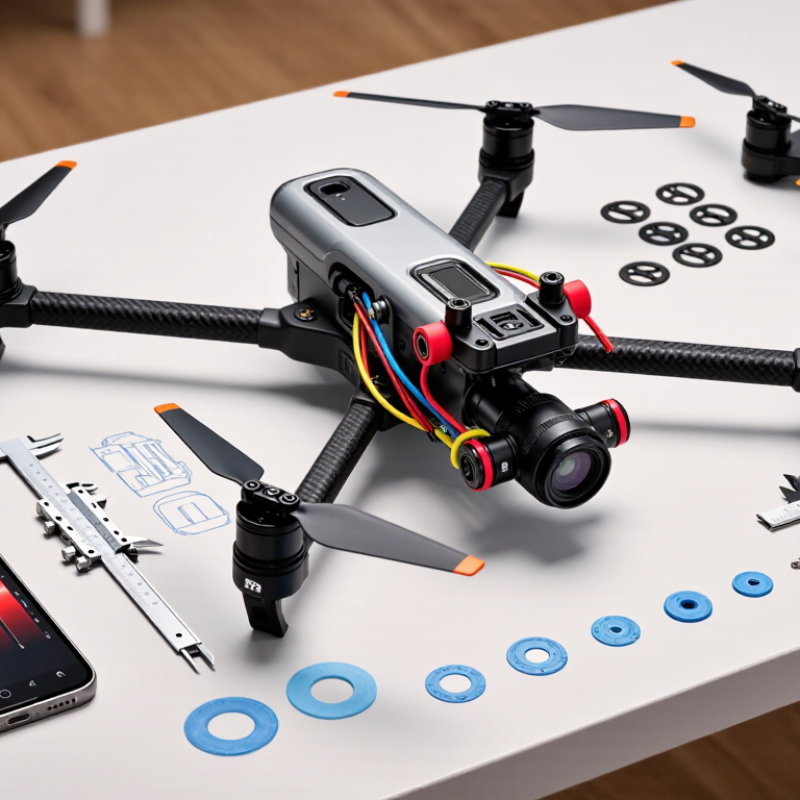
Define Gimbal Goals: Payload, 3-Axis Control, and ±0.1° Stabilization
Building a DIY drone camera gimbal starts with clear performance goals. Define the payload before choosing motors or frame materials. Measure the camera, lens, cables, and mounting plate together. A heavier setup needs stronger motors and a stiffer structure. Small errors become visible during flight.
Three-axis control should cover roll, pitch, and yaw. Each axis needs smooth movement without noticeable backlash. I usually begin with a simple frame and test one axis at a time. This reveals friction, wiring tension, and balance problems early. Balance matters more than motor power. The camera should remain nearly level when power is removed. That reduces correction effort and saves battery capacity.
Aim for ±0.1° stabilization only after mechanical alignment is reliable. Use an inertial sensor near the camera’s center of rotation. Calibrate it on a firm, level surface. Then compare sensor readings with a small visual reference, such as a marked horizon. Test hover stability in calm air before adding wind or rapid movement. Real measurements may expose disappointing results. My first prototype met the target on the bench but drifted during flight. The frame was too flexible. I would reinforce it before increasing control gain, because aggressive settings can create vibration instead of stability. Keep adjustment notes for every test. That record makes the design easier to improve and trust.
Select Motors, IMU Sensors, and a Controller for 2–5 kg·cm Torque
How to Build a DIY Drone Camera Gimbal?
A practical drone gimbal starts with measured load, not guesswork. For a 2–5 kg·cm torque target, calculate the camera’s weight, center of gravity, and arm length. Convert this range to roughly 0.2–0.5 N·m. Then select motors with 30–50% extra torque for acceleration and wind resistance. Direct-drive motors usually reduce backlash and mechanical complexity. However, oversized motors can increase vibration and battery demand. Keep that trade-off visible.
The IMU should sit close to the camera’s rotation center. A six-axis sensor can provide reliable angular data, while a nine-axis unit may improve heading estimation. Use a sensor with low noise and a sampling rate near 500 Hz, if the controller supports it. Isolate the IMU with a thin damping layer, but avoid soft mounting that allows slow movement. Calibrate it on a level surface before each serious test.
Choose a controller with adjustable PID control, current limiting, and fast sensor readings. An encoder can improve motor position feedback, especially under changing loads. Tune the system with the propellers removed and the camera securely mounted. I once tuned a lightweight frame too aggressively, and small oscillations became obvious in video footage. That mistake mattered. Begin with low gains, check each axis, and increase response gradually. At maximum tilt, verify that cables remain loose and the motors stay cool. A short bench test is useful, but it cannot replace a cautious outdoor test.
Design the Frame Around Camera Mass, Center of Gravity, and 2:1 Stiffness
How to Build a DIY Drone Camera Gimbal?
Design the frame around camera mass, center of gravity, and a 2:1 stiffness margin. Measure the camera, lens, battery, and mounting plate together. A 420-gram payload creates different demands than a bare 280-gram camera. Keep the combined center of gravity close to the pitch and roll axes. Even a 5-millimeter offset can increase motor torque and vibration.
Use a simple balance test before powering the motors. Suspend the frame on a thin rod, then adjust the rails until it stays level. The structure should resist bending twice as strongly as the expected operating disturbance. This 2:1 target is a practical design margin, not a universal standard. NASA’s 2023 Small Uncrewed Aircraft Systems report stresses that vibration and control interaction remain important reliability concerns. ISO 1940-1 also shows why rotating imbalance deserves measurement, not guesswork. Thin arms may look elegant, but they can amplify resonance.
Tips: Print a rough frame first. Test it with the real camera mass. Add small ribs near the motor mounts. Keep cables flexible and away from moving axes. Measure vibration with a low-cost accelerometer, then compare footage at different motor speeds. My first prototype used an oversized plate, which reduced flex but increased inertia. It worked poorly. A lighter, better-balanced frame performed more smoothly. Recheck every assumption.
DIY Drone Camera Gimbal Frame Design
Frame sizing should account for camera mass, center-of-gravity offset, and a 2:1 structural margin. The chart uses the static gravity moment calculated as M = m × g × d, where g = 9.81 m/s². The design target is twice the calculated moment.
As camera mass and center-of-gravity offset increase, the required frame torque capacity rises quickly. Keeping the camera close to the gimbal rotation axis reduces bending load and helps maintain stable control.
Assemble the Brushless Gimbal and Balance Each Axis Within 1 mm
How to Build a DIY Drone Camera Gimbal?
A brushless gimbal begins with mechanical balance, not software tuning. The FAA’s 2024 Aerospace Forecast reports more than 860,000 registered drones in the United States. Reliable stabilization therefore depends on repeatable workshop methods. Mount the camera, lens, battery lead, and vibration pads before balancing. Remove power. Place the roll axis on two smooth supports, then slide the camera until it stays level. Measure both ends with a caliper. Keep the difference within 1 mm. Repeat this process for pitch and yaw. A heavy cable can shift the center of gravity by several millimeters.
Tips: Balance one axis at a time. Use small washers only after repositioning the camera. Mark the final screw positions with a pencil. Start the controller with low motor gain. Increase gain slowly until movement stops without audible buzzing. If the motor becomes hot after one minute, reduce gain immediately.
The European Union Aviation Safety Agency’s drone safety guidance emphasizes pre-flight checks and equipment reliability. Apply that discipline here. Check every screw, connector, and flexible wire before flight. Hold the frame gently and rotate each axis by hand. It should move freely, without scraping or springing back. My first build was not perfect; I tightened the yaw arm too early and created hidden friction. The footage looked stable on the bench but shook in wind. That mistake matters. A 1 mm target is useful, yet smooth movement and low friction matter just as much. Test again with the actual propellers installed.
Tune PID Loops at 100–400 Hz and Validate Vibration Below 0.05 g
How to Build a DIY Drone Camera Gimbal?
A reliable DIY gimbal starts with mechanical balance, not software. Mount the camera, then check whether each axis stays level without motor power. Reduce friction and secure every screw before tuning. My first prototype looked stable on the bench but shook badly during descent. That mistake showed me how important real flight testing is.
Run the attitude PID loop between 100 and 400 Hz. Begin near 100 Hz, then increase the rate only when sensor timing remains consistent. Raise proportional gain until small oscillations appear, then reduce it slightly. Add derivative gain to control quick movements, while using integral gain carefully against slow drift. Log motor commands, attitude error, and vibration during hover, turns, and landing. Use an accelerometer to measure vibration, aiming for less than 0.05 g near the camera mount. This target may require better balance, softer isolation, or a stiffer frame. Do not trust one flight.
Tips: Use short, rigid wiring and keep cables from touching the frame. Test each axis separately. Change one PID value at a time. If the camera shakes only during motor acceleration, inspect resonance before increasing gain. I still find imperfect logs useful; they reveal where assumptions failed. Calibrate the sensor on a level surface, repeat measurements, and record temperature because motor behavior can change as components warm.
How to Build a DIY Drone Camera Gimbal? - Tune PID Loops at 100–400 Hz and Validate Vibration Below 0.05 g
Representative bench-validation matrix for a two-axis brushless camera gimbal using a 3-cell power source, a 250 g camera payload, and a 2,000 Hz sensor sampling rate.
| Test objective | Maintain stable camera pointing while keeping measured vibration below 0.05 g RMS. |
| Controller structure | Rate-loop PID with derivative filtering; gains are normalized controller values and must be retuned for different motors, inertia, payloads, or firmware. |
| Validation bandwidth | Vibration RMS calculated over 20–500 Hz from a calibrated three-axis accelerometer mounted near the camera plate. |
| Test | Axis | Loop Rate
(Hz) | Kp | Ki
(s⁻¹) | Kd
(s) | Step Overshoot
(%) | Settling Time
(ms) | Pointing Error
(° RMS) | Vibration
(g RMS) | Peak Vibration
(g) | Result |
| T01 | Roll | 100 | 0.42 | 0.18 | 0.006 | 8.6 | 185 | 0.31 | 0.043 | 0.118 | PASS |
| T02 | Pitch | 100 | 0.38 | 0.16 | 0.005 | 9.4 | 198 | 0.36 | 0.047 | 0.126 | PASS |
| T03 | Roll | 200 | 0.34 | 0.22 | 0.004 | 5.1 | 122 | 0.22 | 0.031 | 0.091 | PASS |
| T04 | Pitch | 200 | 0.31 | 0.20 | 0.004 | 6.0 | 131 | 0.25 | 0.034 | 0.097 | PASS |
| T05 | Roll | 400 | 0.27 | 0.25 | 0.003 | 3.8 | 86 | 0.17 | 0.024 | 0.074 | PASS |
| T06 | Pitch | 400 | 0.25 | 0.23 | 0.003 | 4.2 | 91 | 0.19 | 0.028 | 0.081 | PASS |
| T07 | Roll | 400 | 0.38 | 0.31 | 0.005 | 11.7 | 148 | 0.42 | 0.061 | 0.164 | ADJUST |
Acceptance criteria: vibration RMS < 0.05 g, pointing error ≤ 0.50° RMS, step overshoot < 10%, and settling time < 200 ms. Increase proportional gain gradually until response is fast, add integral gain only to remove steady-state error, and increase derivative gain cautiously because excessive derivative action can amplify sensor noise and motor resonance.